mLite - GPS Location Tracker
IPL GROUP PTY LTDLifestyle
3.9799.00 Reviews
- Version
- 4.3.7
- Installs
- 10.00M
- Age Rating
- Everyone
Screenshots
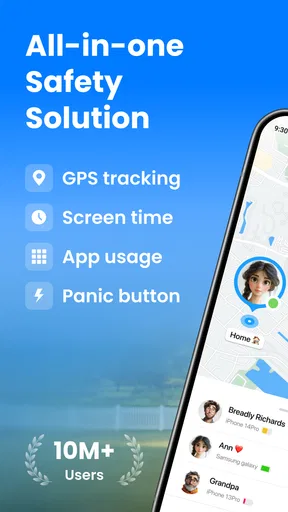
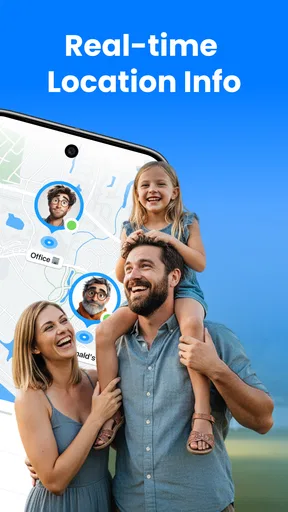
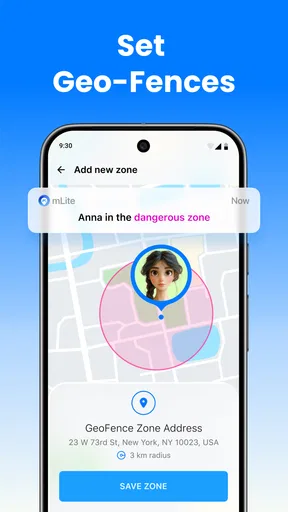
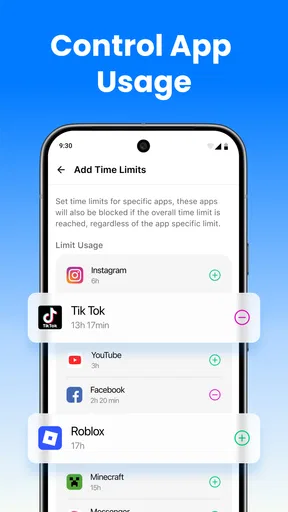
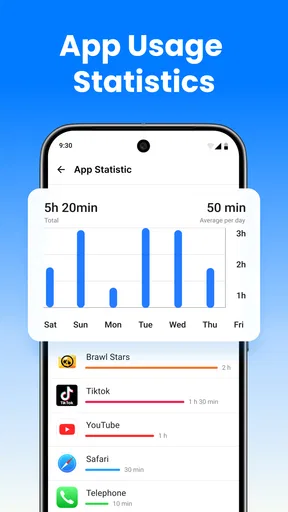
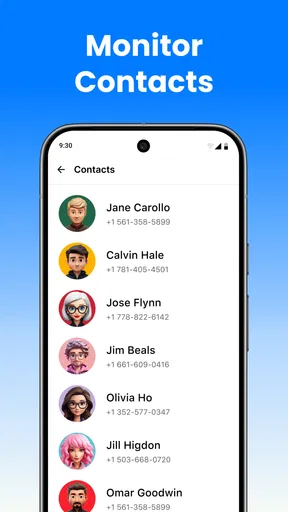
Our Review of mLite - GPS Location Tracker
 Analysis by Appyee
Ever wondered how much effort it takes to check that a family member has reached a destination? A location-sharing app can make that check-in easier, but it also puts private information on a map. mLite - GPS Location Tracker is a family-focused option I’d consider when everyone involved understands the arrangement and wants a shared way to stay in touch. Its usefulness depends less on the map itself than on agreeing when to use it, who can see it, and what to do when a location does not update.
Readability and everyday navigation
As a lifestyle app from IPL GROUP PTY LTD, mLite is built around a practical family need rather than a complicated technical workflow. The basic idea is easy to explain: family members use the app, accept an invitation, and share locations with one another. That makes the first conversation about the app almost as important as setup. I would decide together who is joining and what counts as a normal reason to check the map before anyone starts relying on it.
The interface is described as straightforward, which matters for a tool people may open in a hurry. A clear map can answer a simple question quickly, but a map pin is not the same as a confirmed arrival or a message from the person carrying the phone. I’d treat location as useful context, then follow up directly if timing or safety matters. That habit helps avoid turning an imperfect update into a false assumption.
Motor and sensory considerations
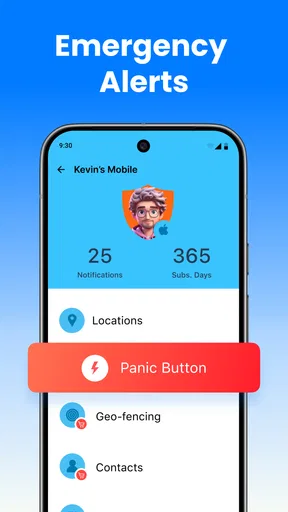
Location sharing can be helpful when someone finds typing difficult or is too busy to send a detailed update. The panic button described for mLite offers a more direct way to alert connected users, which may be useful in a stressful moment. I would still agree on what family members should do after receiving an alert; an app notification is a prompt to respond, not a substitute for a clear plan.
For someone with limited dexterity, small controls or a multi-step setup can be a hurdle in any phone app. I’d help the person install it, accept the invitation, and practise the main actions while things are calm. Likewise, people who rely on larger text, screen readers, strong contrast, or reduced motion should check the app on their own device before depending on it. I wouldn’t assume that a location tool automatically works well for every sensory or motor need.
Situational access and family routines
For a realistic school-day example, a parent could check whether a child appears to be on the usual route, then call or message if the location seems out of date. That is a more sensible use than repeatedly watching the map. Geofencing may also suit a household that wants alerts around agreed places, while location history can help make sense of a missed check-in after the fact. These tools work best when the family chooses a few useful situations rather than monitoring every movement.
mLite’s appeal is strongest for households that want a shared family view, including parents checking on children or relatives coordinating plans. It is less suitable for anyone who wants to track another adult without their informed agreement, or for a person who would find continual location sharing stressful. If the need is only to coordinate one outing, a quick call or a temporary location share in a familiar messaging app may be simpler and less intrusive.
How the tracking tools fit together
Several capabilities are presented alongside live location: safe-zone alerts, location history, and a panic alert. They address different questions. A live view is for checking a current position; a zone alert can reduce the need to keep opening the map; history can help review where a phone appeared to be; and an emergency alert is intended to draw attention quickly. I would not treat any of these as proof of safety or as a replacement for direct contact.
A useful setup tip is to choose the smallest routine that solves the actual problem. If the concern is arrival at school, agree on that place and the expected check-in rather than checking the map throughout the day. If a family uses alerts, make sure everyone knows what an alert means and who is expected to respond. Too many notifications can become background noise, while a shared expectation makes a single alert easier to act on.
Privacy, consent, and practical limits
Location data is sensitive even when sharing is consensual. The app’s privacy approach is described as involving encrypted data and permission-based sharing, but I’d still make consent an ongoing conversation, especially with children as they grow older. Explain who can see the location and why; don’t present tracking as a secret safeguard. A family can also agree on when sharing should be paused, rather than treating continuous visibility as the default for every situation.
Real-time tracking relies on a working connection, so a weak signal can leave a location delayed or less useful. A phone that is unavailable, or a person who cannot respond, can also limit what the map tells you. Before relying on mLite for a particular trip, I’d test the routine together and keep an ordinary backup such as a scheduled call or text. That is especially important for people travelling through places where coverage may be unreliable.
Cost, fit, and alternatives
mLite is free to download, with optional in-app purchases ranging from $0.99 to $199.99 per item. I’d check the purchase screen carefully before committing to anything and decide whether the free experience meets the household’s needs first. The app has a 3.3 average from around 12,000 ratings, alongside over 10 million installs; that gives a sense of its reach, but a family should judge it by whether the controls and routines work for them. It is rated for Everyone, and its current version is 3.14.0, with Android 8.0 as the minimum operating system.
Compared with a phone’s built-in location sharing, a family tracker may bring several safety-oriented tools into one place, but it also asks everyone to adopt another app and manage another sharing relationship. Built-in sharing or a messaging app may be better for occasional coordination. A dedicated tracker is more compelling when a household genuinely wants recurring location checks, agreed safe-zone alerts, and a shared routine. If the main need is emergency response, no app should be the only plan.
Getting Started with mLite
First things first, setting up mLite is pretty straightforward. You download the app from either the Google Play Store or Apple's App Store, and you're off to the races. The user interface is clean and intuitive. Seriously, you don’t need to be a tech wizard to navigate through it. Just a few taps here and there, and you’re all set.
Once installed, you can easily add family members or friends by sending them an invitation. They’ll need to have the app installed as well, and once they accept the invite, you can start tracking their location in real-time. It’s like having your very own personal GPS system, but for people.
Main Features that Stand Out
What really caught my eye is the array of features that mLite offers. You’re not just limited to seeing where someone is. Oh no, there’s more:
- Real-Time Tracking: This is the bread and butter of the app. You can see where the person is at any given time, which is perfect for keeping an eye on kids or elderly family members.
- Geofencing: You can set up safe zones and receive alerts when someone enters or leaves these areas. It’s like having a virtual fence.
- Location History: Want to know where someone has been over the past week? You got it. The app stores location data so you can look back at any time.
- Panic Button: This is a great feature for emergencies. The person being tracked can hit a panic button, sending an immediate alert with their location to all connected users.
Privacy Concerns? They've Got You Covered
Now, I know what you’re thinking. Isn’t this a bit invasive? Well, mLite has taken privacy seriously. All data is encrypted, and location sharing is consensual. You can only track someone if they’ve agreed, which is a huge relief for anyone worried about privacy issues.
Plus, you can easily turn off location sharing whenever you want, giving you full control over when and how your location is shared. It’s a nice balance between staying connected and maintaining privacy.
Using mLite Daily
In my experience, the app is incredibly useful for daily life. Whether it's making sure your kids got to school safely or ensuring your friends made it home after a night out, having that peace of mind is invaluable. And, since it runs in the background, it doesn’t drain your phone’s battery as much as you’d expect.
One thing I’ve noticed, though, is that the app does require a stable internet connection for real-time tracking to work efficiently. So, if you're in an area with spotty service, you might experience some delays. But hey, that’s a small price to pay for what you’re getting.
Inclusive verdict
For a household that wants consensual, recurring location sharing and can agree on sensible boundaries, mLite brings relevant tools together in a way that may make daily coordination easier. I’d recommend trying it with a specific routine in mind, checking that each person can comfortably use it, and keeping direct communication as the fallback. Someone who wants occasional check-ins, stronger control over accessibility settings, or no ongoing location sharing may be better served by a simpler alternative.
Conclusion: Is mLite Worth It?
All in all, mLite - GPS Location Tracker is a solid choice if you’re looking to keep your loved ones safe and sound. It’s easy to use, packed with features, and respects privacy. The peace of mind it offers is worth its weight in gold, especially in our fast-paced world where staying connected is more important than ever.
So, if you’re in the market for a reliable GPS tracker app, give mLite a shot. Trust me, you won’t regret it.
Verdict
Strengths of mLite - GPS Location Tracker
- Accurate real-time location updates.
- User-friendly interface design.
- Low battery consumption.
- Customizable alerts for locations.
- Supports multiple device tracking.
Limitations of mLite - GPS Location Tracker
- Limited features in free version.
- Occasional GPS signal loss.
- Requires constant internet access.
- No geofencing capabilities.
- Ads present in free version.
Similar Picks in This Category
View All
SmartThings
Samsung Electronics Co., Ltd.4.6

Google Home
Google LLC4.0

Pinterest4.2

Astrotalk - Talk to Astrologer
Astrology & Horoscope4.7

My Verizon
Verizon Consumer Group4.5

Samsung Wallet (Samsung Pay)
Samsung Electronics Co., Ltd.4.1
Frequently Asked Questions
What is mLite and how does it work?
mLite is a GPS location tracker designed to help you keep tabs on the whereabouts of family members or friends. It uses the GPS capabilities of smartphones to provide real-time location updates. Once installed on both devices, it allows you to track locations, view location history, and receive alerts for specific areas.
Is mLite safe and secure to use?
Yes, mLite prioritizes user safety and privacy. It requires consent from both parties involved, ensuring that tracking is only conducted with mutual agreement. Data is encrypted to protect personal information, and users have control over who can access their location data. Always ensure you have the necessary permissions before use.
Can mLite be used without the internet?
mLite requires an internet connection to transmit location data accurately. While GPS can determine a location without internet, the app needs connectivity to send this information to other devices. Ensure both devices have data or Wi-Fi access for optimal functionality and real-time updates.
What devices are compatible with mLite?
mLite is compatible with both Android and iOS devices. It supports a wide range of smartphones, but it's crucial to check the app's compatibility with your specific device model on the Google Play Store or Apple App Store before downloading. Regular updates ensure ongoing compatibility with new devices and operating systems.
Is there a subscription fee for using mLite?
mLite offers a free version with basic features, but for advanced tracking options, a subscription may be required. The premium version provides enhanced functionalities such as detailed location history and multiple device tracking. Pricing details can be found within the app or on the official website. Always review subscription plans to choose the best option for your needs.
